Disclosure: Millclock provided the clock. The observations and conclusions are my own.
Most of the technology on my desk is designed to disappear.
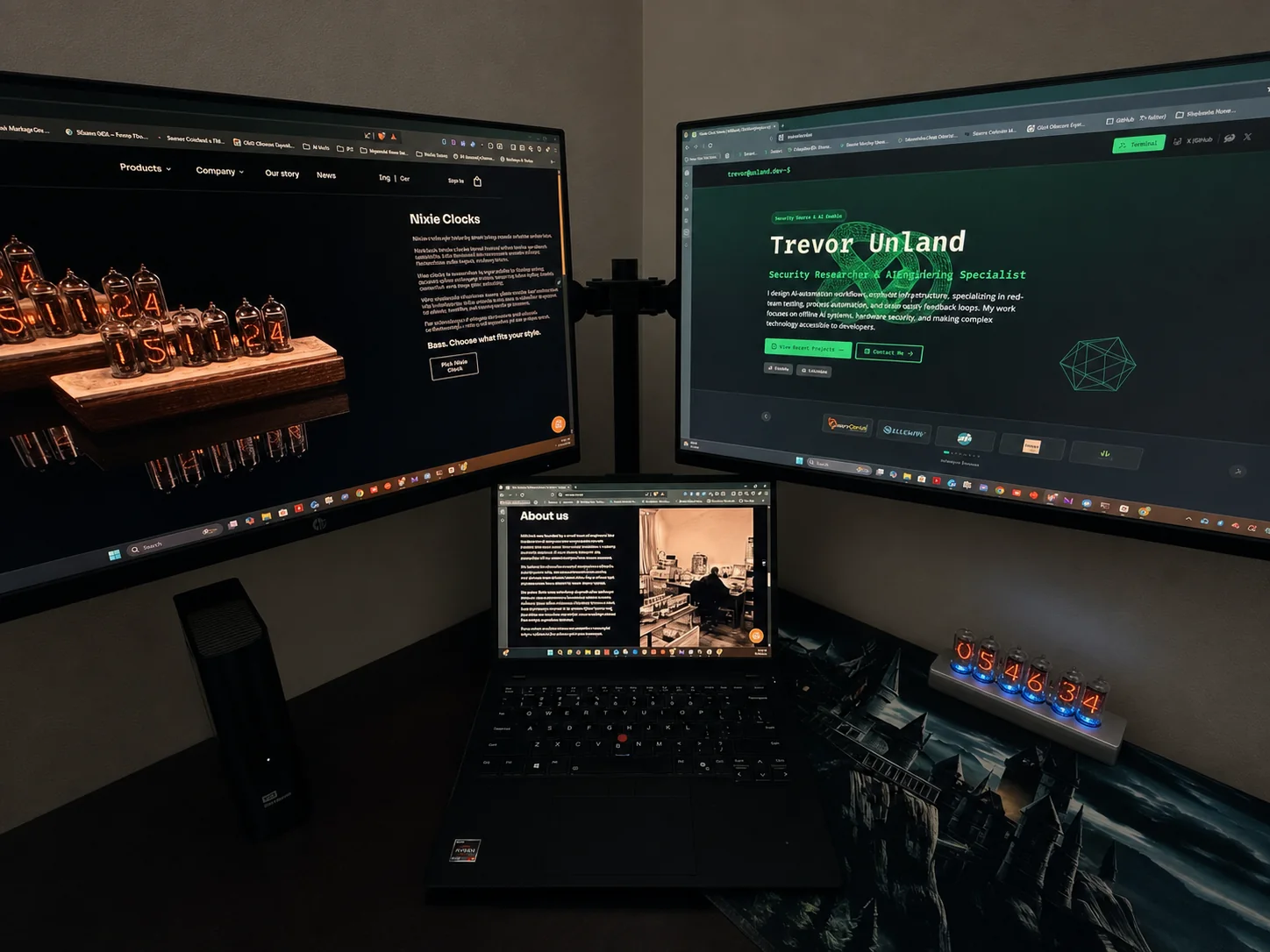
The monitors become windows into whatever I am testing. The laptop becomes a terminal. The single-board computers, storage, radio hardware, and cables only matter when something breaks or a result finally appears. Once the work starts, the equipment recedes and the information takes over.
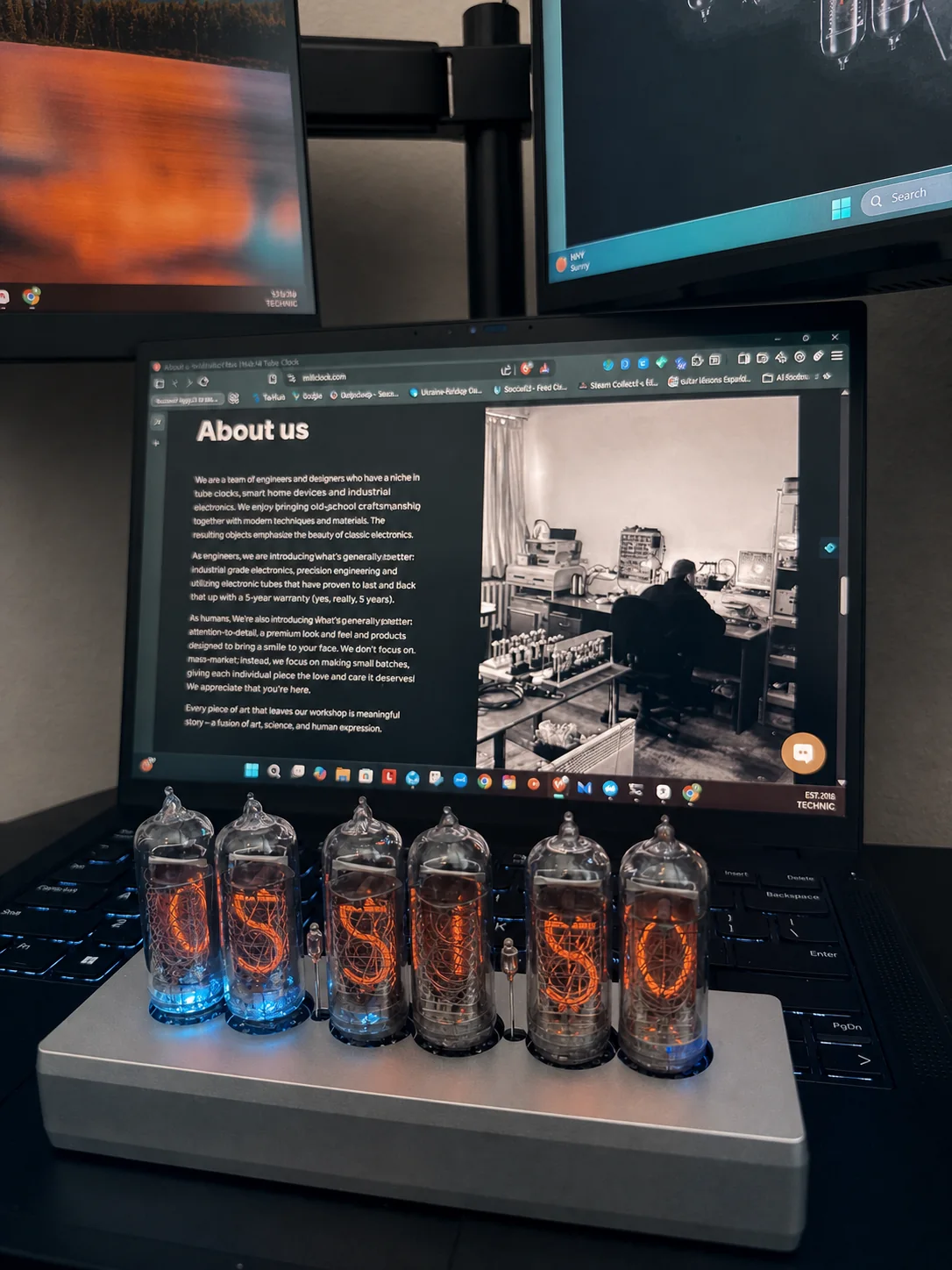
The Millclock IN-14 does the opposite. Six glass tubes sit in the open, each digit formed by a shaped metal cathode surrounded by a warm orange glow. Two smaller separator lamps pulse between them. A cool blue light rises from the base. It tells me the same time already visible in the corner of every screen, but it refuses to become another background status indicator.
That is why it earned space on the desk.
The Millclock IN-14 is a six-tube Nixie desk clock assembled in Ukraine. It is not the most efficient way to tell time. It is a carefully built physical display that gives a modern, screen-heavy workstation a warm and deliberate focal point.
The One Object That Refuses to Disappear
This workstation is not a showroom. I use it for security research, RF and SDR work, local AI experiments, technical writing, and the less glamorous hours spent reading documentation until a system finally makes sense. That distinction matters because a retro object can look convincing in a staged photograph and still become useless clutter once real work begins.
I did not need a separate clock to improve productivity. I was not looking for another notification surface, dashboard, or smart device asking for an account. I wanted one physical object that could sit beside modern compute hardware without pretending to be modern itself.
The Millclock works in that role because it has presence without demanding interaction. The long silver enclosure stays visually quiet. The tubes provide the structure. From across the room, I see six orange numerals. From the desk, I see the wire mesh, stacked cathodes, glass seams, and the depth inside each tube.
This is a field feature about the supplied clock inside my actual workstation. It is not a teardown, a comparison, or a claim that a Nixie clock is the most efficient way to tell time.
Arrival and Presentation
My conversation with Millclock began around a six-tube IN-14 clock, and I trusted the team with the enclosure. Dimitry's instinct was exactly right: a clock meant to anchor a workstation deserved a case with presence. The silver aluminum enclosure feels substantial in hand while keeping the exposed tubes visually central.
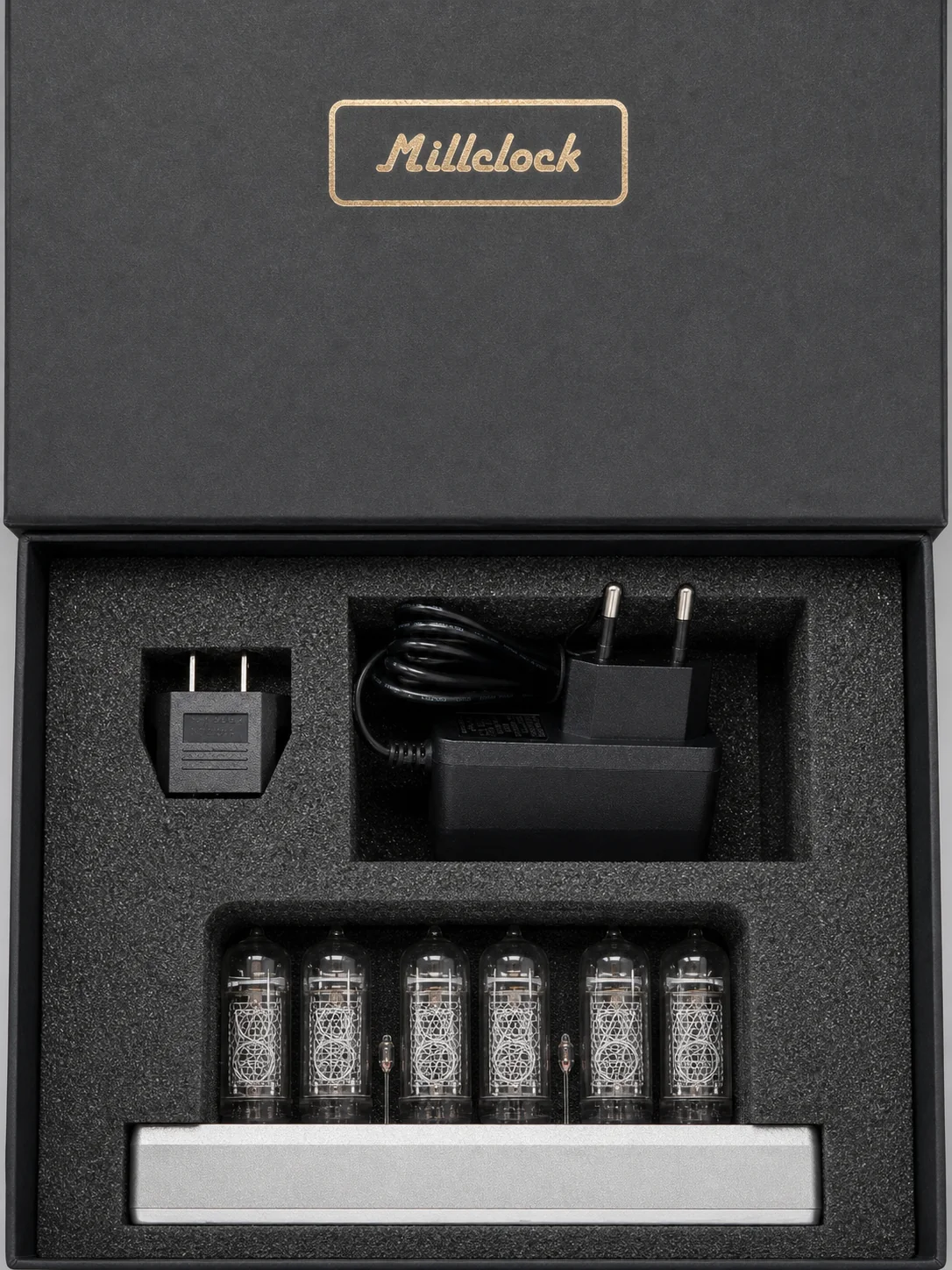
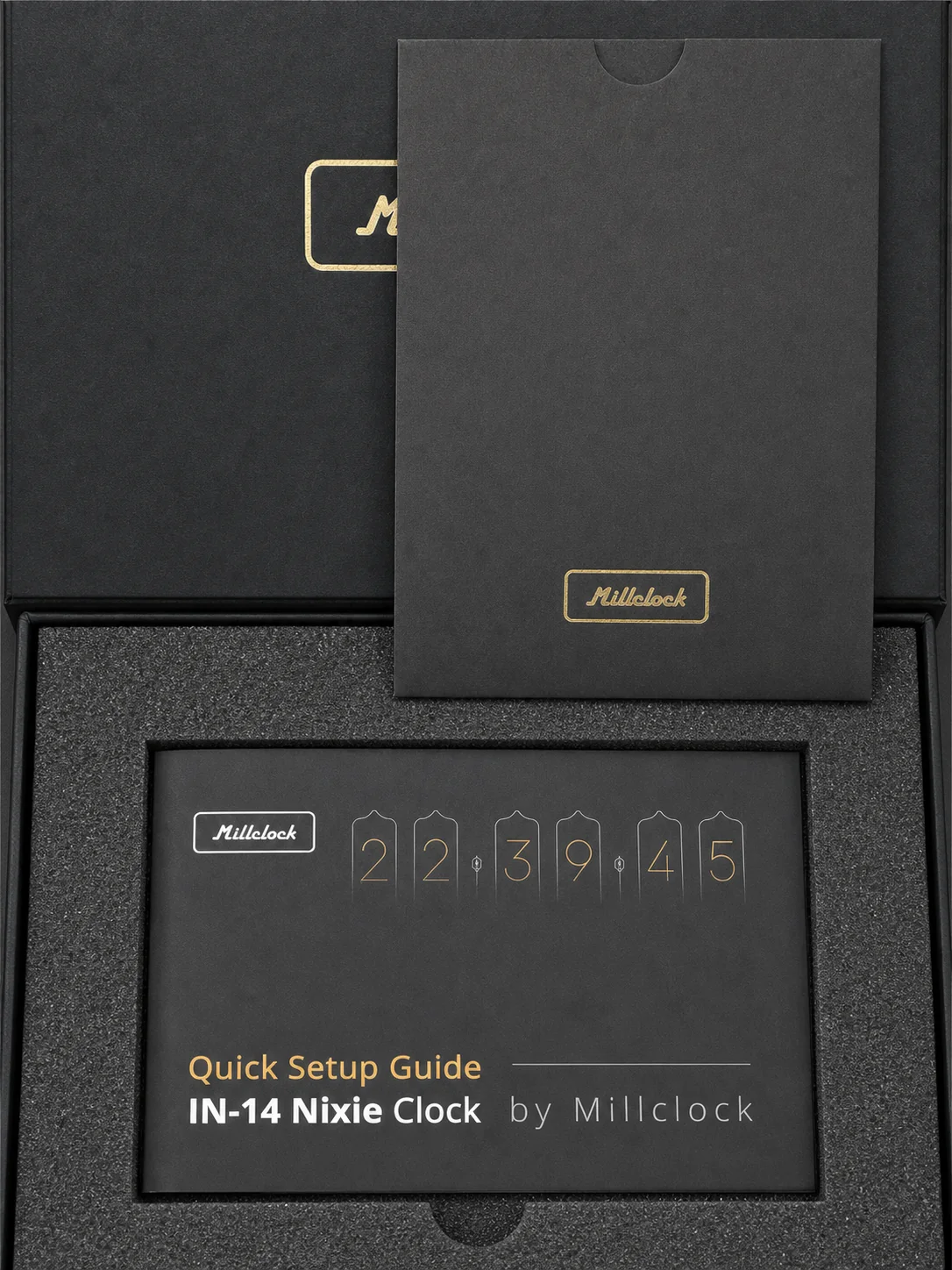
Before the clock was powered on, the packaging established the tone. The black presentation box uses a gold Millclock mark, fitted foam, separate spaces for the clock and power accessories, and a quick setup guide placed above the hardware. Nothing about it feels like a loose collection of vintage parts dropped into a shipping carton.
That matters more with glass hardware than it would with another small computer. The tubes are the product and the visual focus. They need to arrive aligned, protected, and ready to become the first thing you look at when the box opens.
What Is the Millclock IN-14?
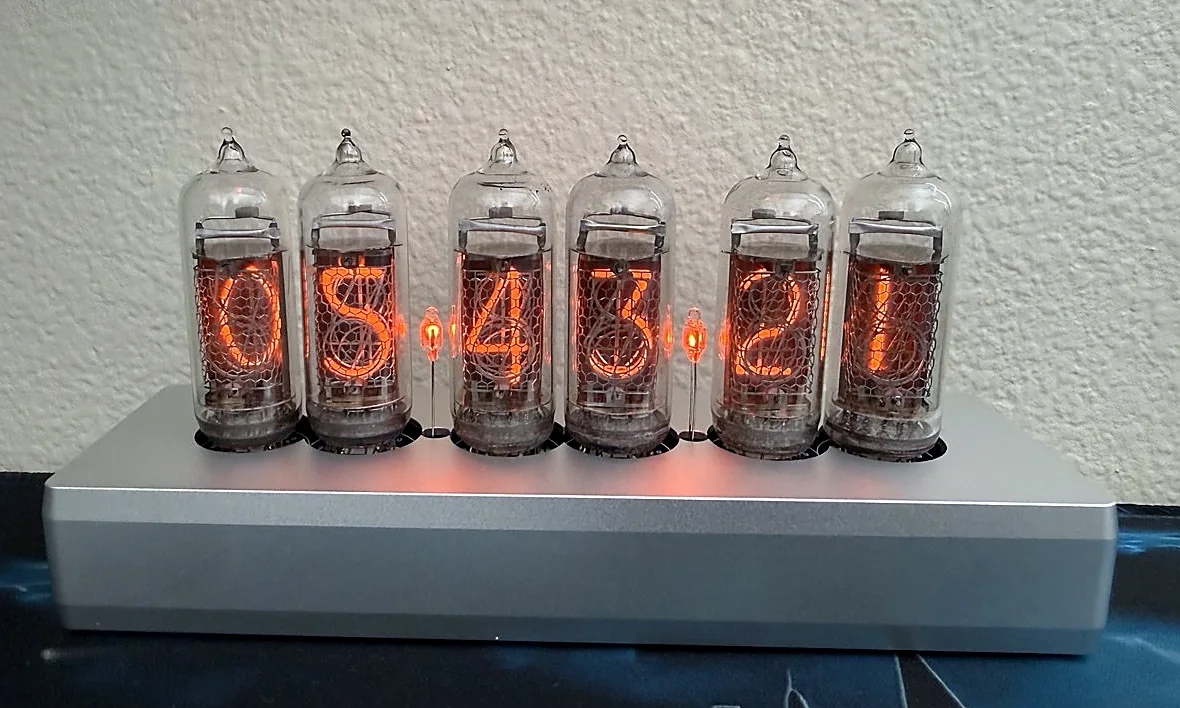
A Nixie tube is a gas-discharge display, not an LED imitation behind tinted plastic. Inside each IN-14 tube is a stack of metal cathodes shaped like the numerals zero through nine. When the clock energizes one cathode, the gas around that shape glows and the digit appears to float inside the glass.
The mechanism is visible even when the clock is off. Look closely and the unused numerals form a dense mechanical web behind the active digit. The mesh and support structures are not defects to hide. They are the reason the display has depth in a way that a flat panel does not.
The supplied unit uses six IN-14 tubes for hours, minutes, and seconds, with two small neon separators. The silver aluminum case is structural and visual. It does not compete with the tubes. Selectable accent lighting beneath the tubes can shift through multiple colors; I photographed it in blue because that cool edge makes the orange numerals stand out especially well.
Observed hardware on the supplied clock
| Display | Six IN-14 numeric Nixie tubes |
| Separators | Two neon indicator lamps |
| Enclosure | Silver aluminum case |
| Time and date | Keeps both wonderfully in daily use |
| Accent lighting | Selectable multi-color lighting beneath the tubes |
Craftsmanship From Ukraine
Millclock describes itself as a Ukraine-based company built around Nixie displays, metalwork, glass production, electronics, assembly, and testing. Its current company story traces the project from founder Igor Pilipenko reselling vintage tubes in 2011 to establishing the Millclock brand in 2016 and assembling a specialist team around the work.
That context changes how I read the clock. This is not a generic desk accessory with a retro skin. It is a modern product organized around a display technology whose construction remains visible. The people responsible for engineering, glasswork, assembly, testing, operations, and presentation all leave evidence in the finished object.
I also do not want to romanticize that story into vague language about luxury. The useful details are concrete. The six tubes sit evenly. The enclosure keeps a low profile. The packaging protects the fragile parts. The clock can live next to current monitors and computers without being turned into a costume prop.
Daylight Is Useful. Night Is the Point.
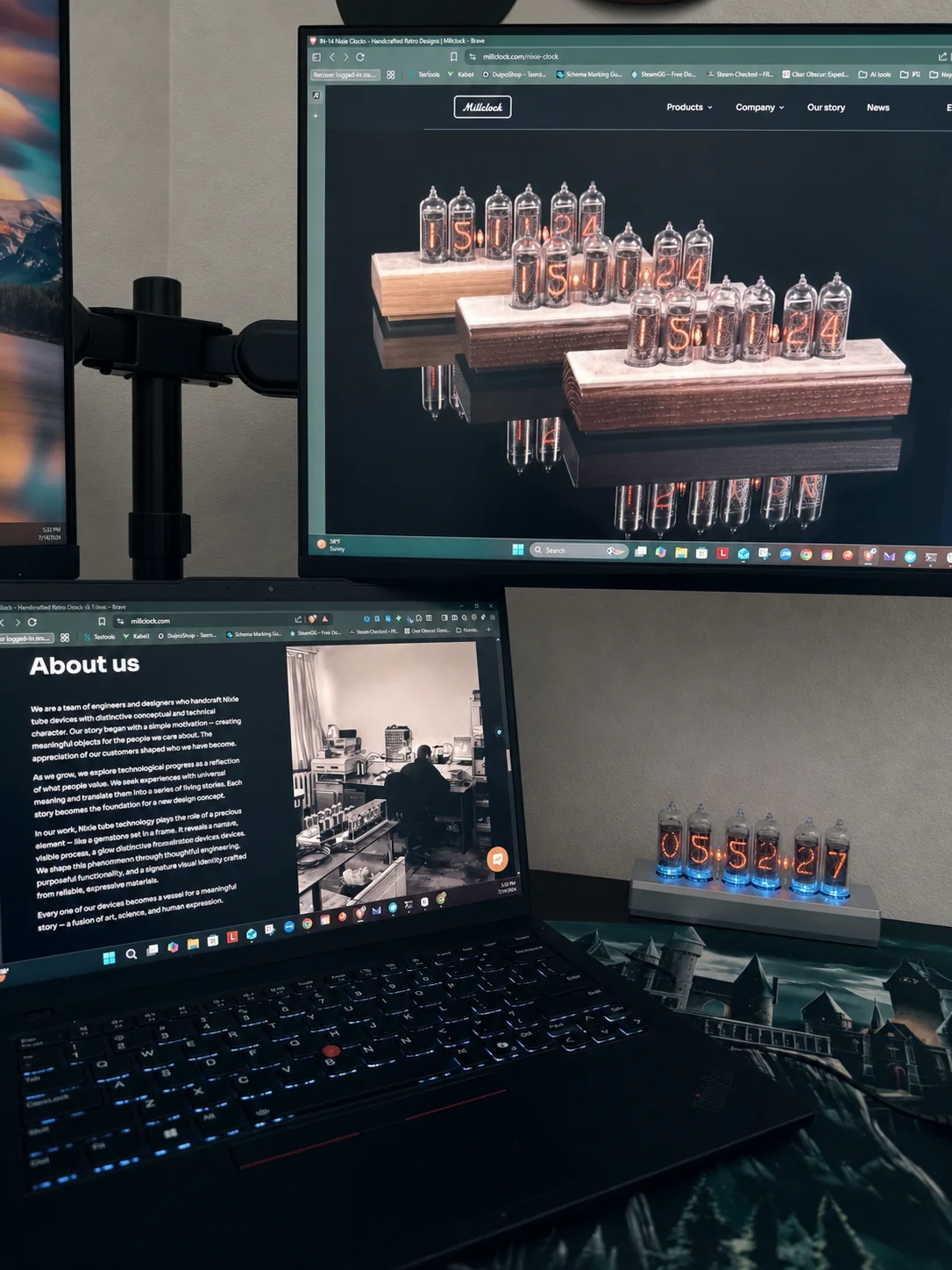
The numerals remain readable in normal room light, but the clock's character arrives after the ambient light drops. The orange digits stop competing with the monitors and begin to hold their own space. The lighting beneath the tubes can move through multiple accent colors; blue puts a cool edge beneath the glass without erasing the warmer glow above it.
In peripheral vision, the seconds do something a system clock never does. They make time feel continuous. I can glance away from a terminal, see the cathodes changing inside real glass, and register that another minute has passed without opening a panel or waking a device.
That does not make me faster. It makes the room feel less disposable.
What It Changes, and What It Does Not
The honest argument for a Nixie clock is not efficiency. Every monitor, phone, operating system, and browser tab can already tell time. If the goal is accuracy per dollar or the smallest possible footprint, a six-tube clock is solving the wrong problem.
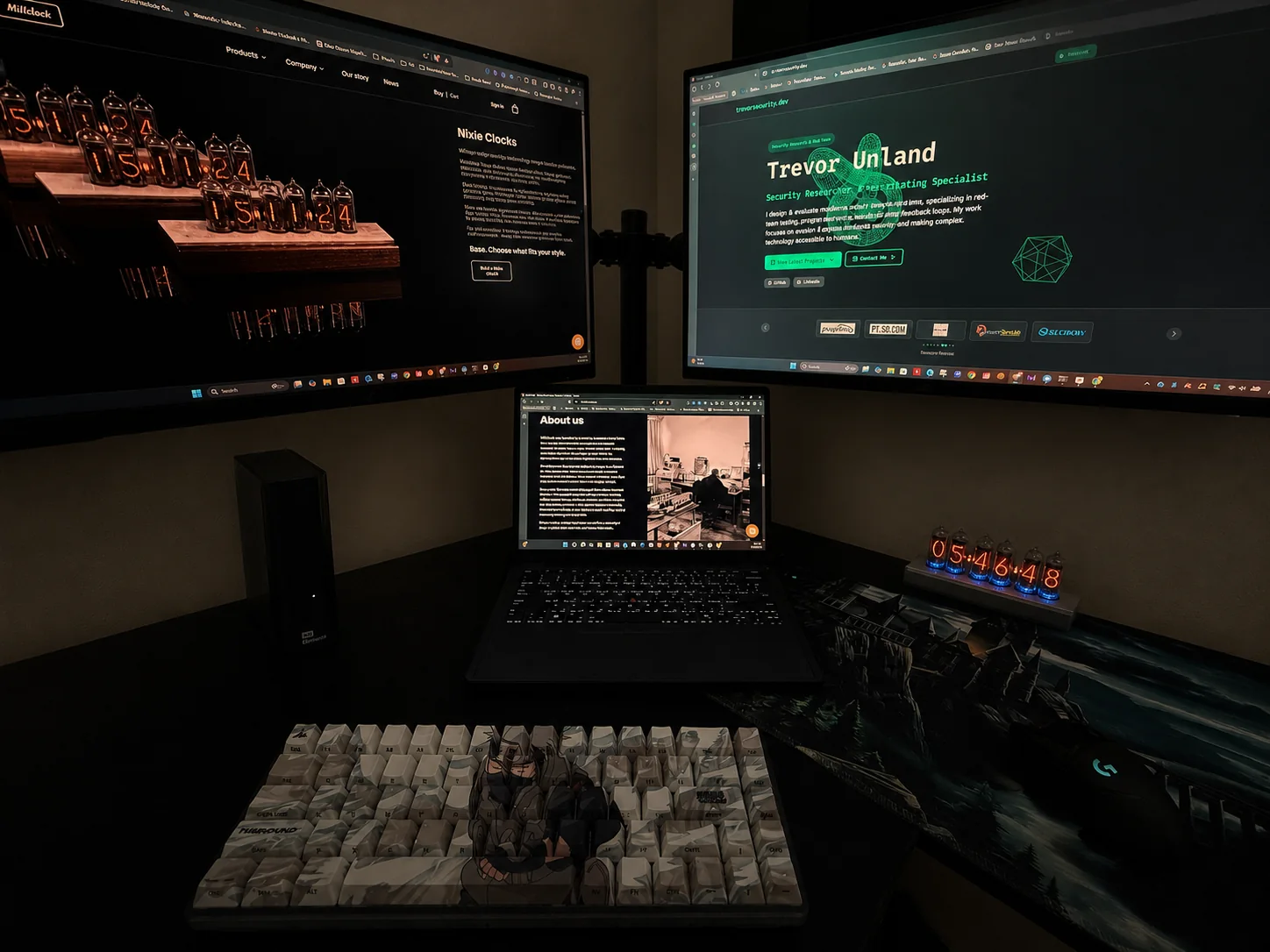
What it changes is the relationship between the workspace and the work. Security research and software analysis are abstract activities. Hours disappear into logs, packets, prompts, test results, and terminal output. Most of the machines involved are black rectangles that reveal nothing about themselves until a screen turns on.
The Millclock remains legible as an object whether it is on or off. Its function is visible. Its materials are visible. Even the inactive digits are still physically present inside the tubes. That permanence gives a screen-heavy desk one thing with weight, depth, and a clear mechanical history.
It also gives the workstation a focal point that is not another company logo or RGB pattern. People notice the clock first, then ask what the rest of the desk is doing. That is a better conversation than explaining why five terminal windows are open.

Who This Is For
This clock makes sense for someone who already knows they are not buying the most practical time display. It is for the person who spends real hours in a studio, office, lab, or technical workspace and wants one object in that room to carry more history than the latest revision of a laptop.
It also fits people who care about how something is made. The exposed cathodes reward close inspection. The glow changes with the room. The enclosure stays restrained enough to work beside modern equipment instead of forcing the entire desk into a retro theme.
If you want a clock to vanish into the wall, this is not it. If you want time to become a physical part of the workspace, the IN-14 earns attention every time the seconds change.
Bottom Line
I started with a workstation full of systems built to make complex work feel invisible. The Millclock belongs here because it pushes in the other direction.
Six tubes. Two separators. One long aluminum base. No dashboard, account, or software layer between the object and its purpose.
It does not optimize the desk. It makes the desk feel intentional.
Millclock IN-14 FAQ
What is the Millclock IN-14?
The Millclock IN-14 is a desk clock built around six genuine IN-14 gas-discharge display tubes. The supplied unit uses two neon separator lamps, a silver aluminum enclosure, and selectable multi-color accent lighting beneath the tubes.
Does the Millclock IN-14 use real Nixie tubes?
Yes. Each visible numeral is a shaped metal cathode glowing inside a gas-filled IN-14 tube. The digits are not simulated by an LED or LCD screen.
Where are Millclock Nixie clocks made?
Millclock is a Ukraine-based company. Its official site says its Nixie clocks are assembled in Ukraine by specialists working across engineering, glasswork, assembly, testing, metalwork, and packaging.
Is a Nixie clock practical for a technical desk?
Yes. This clock has kept the time and date wonderfully in daily use, while its visible engineering and warm glow give a screen-heavy workspace a deliberate focal point.
Did Millclock provide the clock for this review?
Yes. Millclock provided the six-tube IN-14 clock. The company did not review or control the observations or conclusions in this article.
Related field work
The portable workstation build behind the hardware-first side of my research setup.
A benchmark-driven look at the modern compute hardware sharing this workspace.
Explore the clock
Millclock IN-14 Nixie clocks
View Millclock's current six-tube IN-14 configurations, finishes, product details, and documentation directly from the manufacturer.
The companion repository contains the sanitized hardware inventory, workstation layout, practical integration notes, and documentation images.
Disclosure: Millclock provided the clock featured in this article. The observations and conclusions are my own.
Get notified when I publish new hardware reviews, benchmarks, and security research. No spam, unsubscribe anytime.
Email goes to Buttondown for the newsletter. Unsubscribe anytime. Privacy details.